
Prizm Content Connect for SharePoint 2013
Configuring Prizm Viewer Permissions
| Using PCC for SharePoint > Configuring Prizm Viewer Permissions |
Viewer permissions enable users to access the viewer features that they need, such as Print and Download. Viewer permissions are associated with SharePoint Permission Levels. A permission level is a combination of permissions that specify which permissions users have for a site, library, folder or document. Just as permission levels apply to an entire site collection, so do the viewer permissions associated with permission levels.
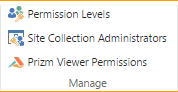
To view and configure viewer permissions, go to Site settings > Site permissions. From the ribbon, select Prizm Viewer Permissions.
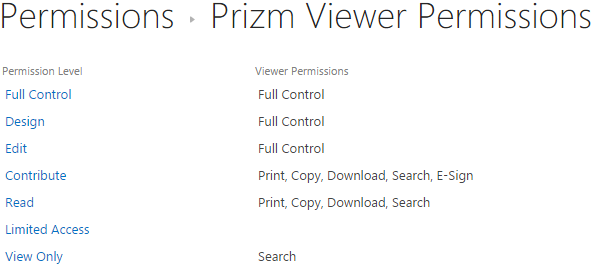
The Prizm Viewer Permissions page displays all Permission Levels for the current site collection, and the viewer permissions associated with each.
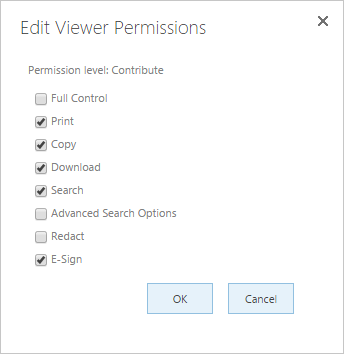
To edit the viewer permissions included with a permission level:
When an administrator grants permissions to users and groups, the associated viewer permissions are automatically granted as well. Permissions can be granted for the entire site, or overridden for a library, folder, or document.
 |
|
Access to Prizm Viewer Permissions is not available by default for new site collections. To enable Prizm Viewer Permissions:
1. Go to Site settings > Site collection features
2. Select Activate next to the Accusoft Prizm Content Connect for SharePoint feature